You set the rule.
We watch for it.
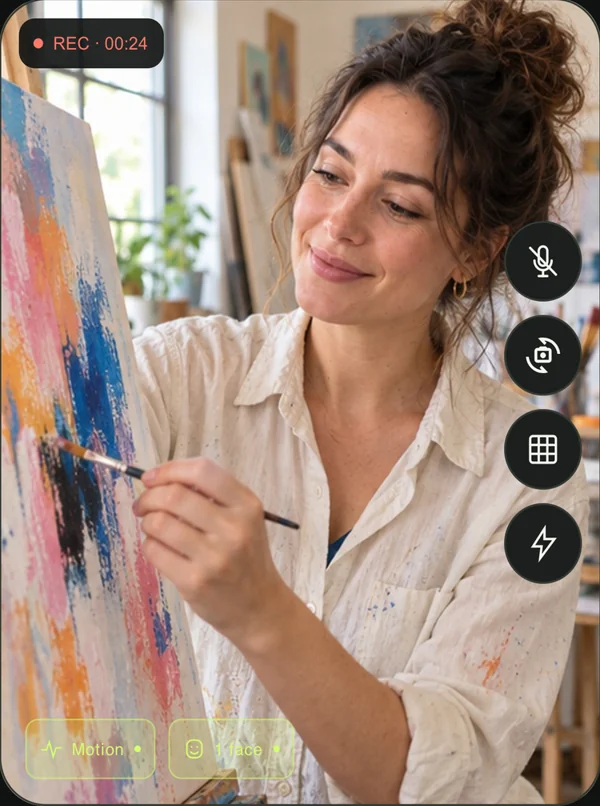
Record when there’s movement or a face in the frame. A flexible starting point for everyday vlogs.
Try a rule above to see how it works.
 VlogMatic.
THE AUTOMATIC VLOG CAMERA
Your camera should keep up with your creativity. VlogMatic records when you’re there, pauses when you’re not, and keeps the moments together in one video.
GET IT ONGoogle PlayAvailable on Android iOS coming soon
VlogMatic4K · 60 fps*
01 / THE GOOD-PARTS CAMERA
Set your phone down and do your thing. VlogMatic starts and pauses video recording for you, so idle time stays out of the take.
 You’re
creatingRecording
You’re
creatingRecording
 You step
awayPaused
You’re back at
itRecording
You step
awayPaused
You’re back at
itRecording
Prop up your phone or tablet. Choose your camera and recording format.
Record for a face, movement, either, or both. Tap Start auto take.
Finish your take, open Clips, and share the original video with your favourite app.
02 / YOUR CAMERA, YOUR CALL
Cooking, drawing, building, talking to camera. Keep your hands on what you’re doing and let the camera watch for the action.
Record when there’s movement or a face in the frame. A flexible starting point for everyday vlogs.
Try a rule above to see how it works.
Turn long activities into a timelapse, with the same automatic capture rules. At one frame a second and 30 fps playback, an hour of captured activity becomes about two minutes.
Each resumed moment gets a marker. Jump between them in VlogMatic’s player without scrubbing through the whole take.
Choose resolution, frame rate, codec, colour and bitrate from the options your camera supports. Record with or without sound.
*Available formats vary by device and camera.
03 / YOUR MOMENTS STAY YOURS
Face and motion detection happen on your device. VlogMatic doesn’t upload your recordings to us, and you don’t need an account to start creating.
Read our Android privacy policyAn automatic vlog camera starts and pauses recording based on what it sees. VlogMatic watches for a face, movement, either one, or both, then saves the captured parts of a take together in one video.
Each auto take becomes one saved video, with the active moments joined together. Moment markers help you jump between those moments in VlogMatic’s player. Other video players may not show the markers.
Yes. Choose a pause delay of 5 seconds, 10 seconds, 30 seconds or 1 minute in Settings. Recording continues for that delay after your chosen face or motion rule stops matching. New activity restarts the delay.
VlogMatic is available for Android 10 and later on Google Play. Recording formats, cameras and features such as 4K or HDR depend on your device. Check Google Play for compatibility with your particular device.
Yes. A supported foldable phone can be set down half-open for hands-free filming, with the preview above the fold and controls below. The exact layout and available cameras depend on your device.
The iOS app is coming soon. VlogMatic is currently available on Google Play for Android. We’ll add an App Store link here when the iOS version is published.
No. Detection runs locally, and face detection checks whether a face is present; it does not identify the person. VlogMatic doesn’t upload your recordings to EllanTech Limited. Sharing and any gallery backup you enable are handled by the apps and services you choose.
LESS TRIMMING. MORE CREATING.
Android, available now. iOS, on the way.